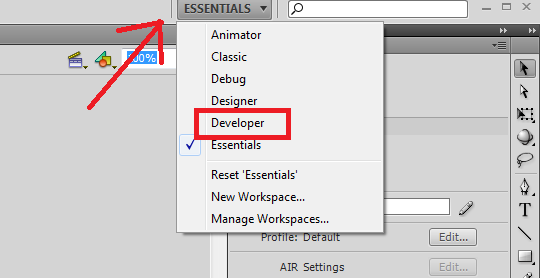
- Abra o Flash CS4
- Clique na aba ESSENTIALS e dê um clique em developer
- O Flash vai ficar assim:
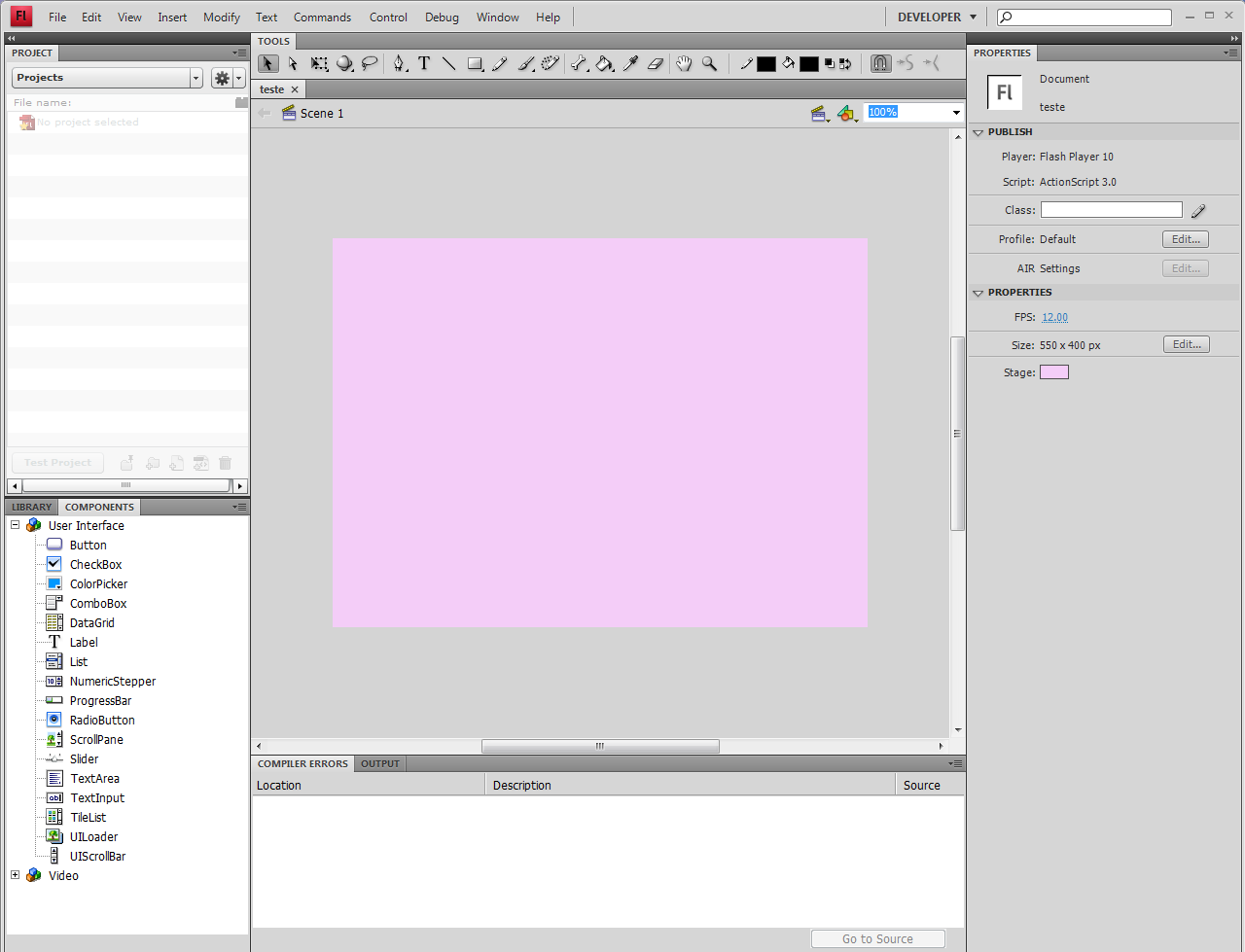
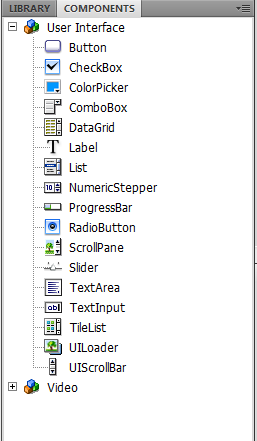
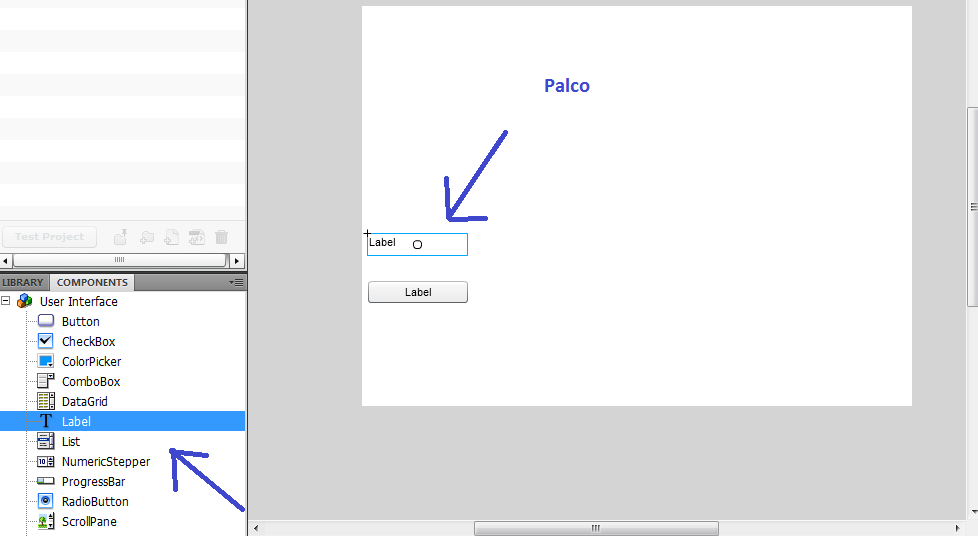
- clique na aba COMPONENTS
- Clique em Button e arraste para o palco:
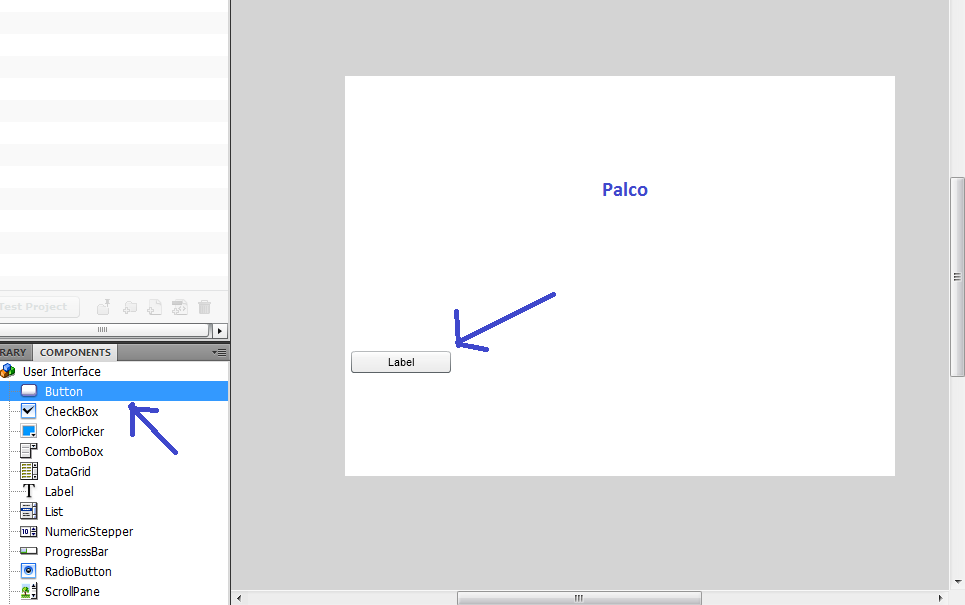
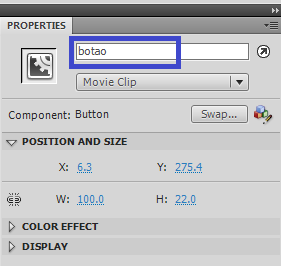
- Na guia PROPERTIES digite: botao <Enter>
- Clique em Label e arraste para o palco:
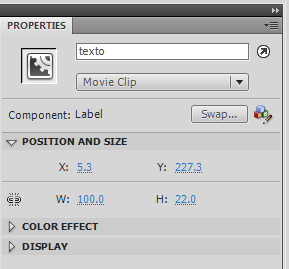
- Na guia PROPERTIES digite: texto <Enter>
- Selecione os dois e precione <Delete> para apagar os dois objetos
- Os dois objetos estarão aqui:
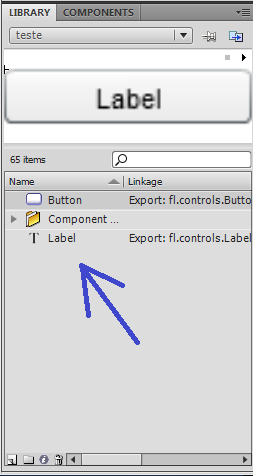
- Precione <F9> para abrir ACTIONS - FRAME
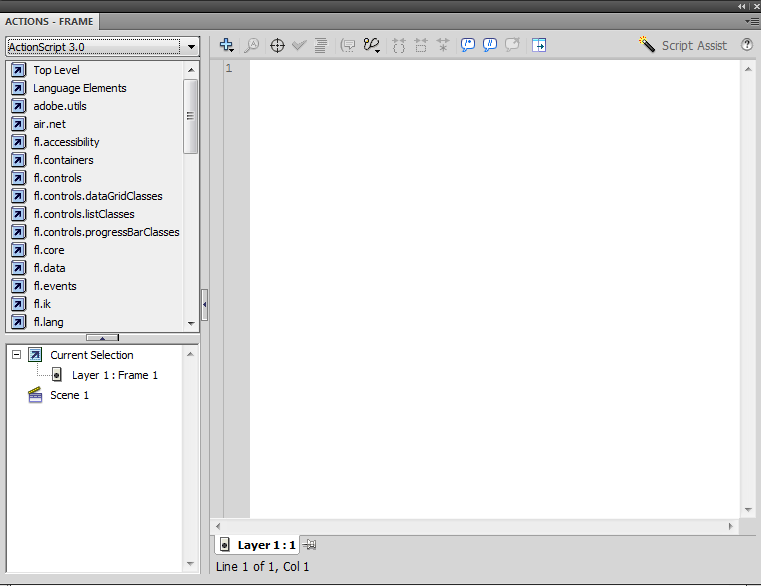
- Copie este código e cole na figura acima:
import fl.controls.*;
import fl.events.*;

var texto:Label = new Label();
texto.text = "";
texto.setSize(200, 25);
texto.move(10, 10);
addChild(texto);

var botao:Button = new Button();
botao.label ="Clique Aqui!";
botao.setSize(200, 25);
botao.move(10, 10+25);
botao.addEventListener(MouseEvent.CLICK, onClick);
addChild(botao);

function onClick(evt:MouseEvent):void {
    if(texto.text != "Hello World"){
		texto.text = "Hello World";
	} else {
		texto.text = "";
	}
} |
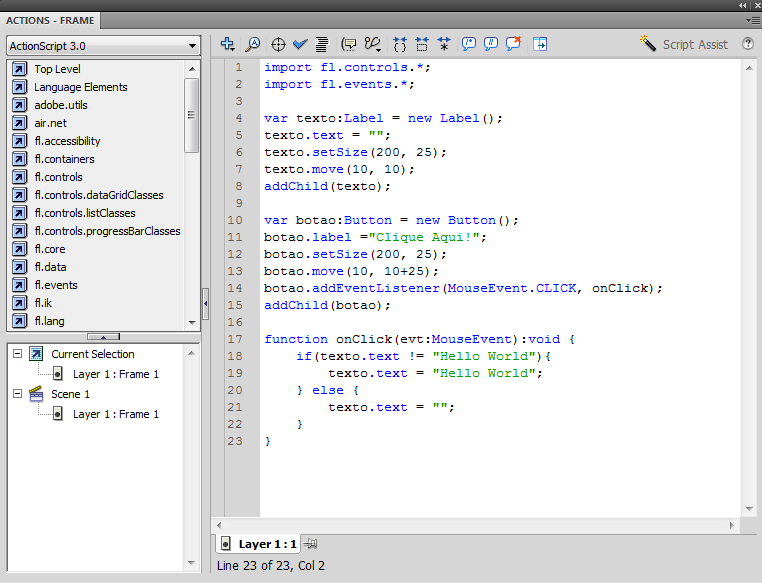
Precione <Ctrl + S> para salvar
Precione <Ctrl + Enter> para executar:
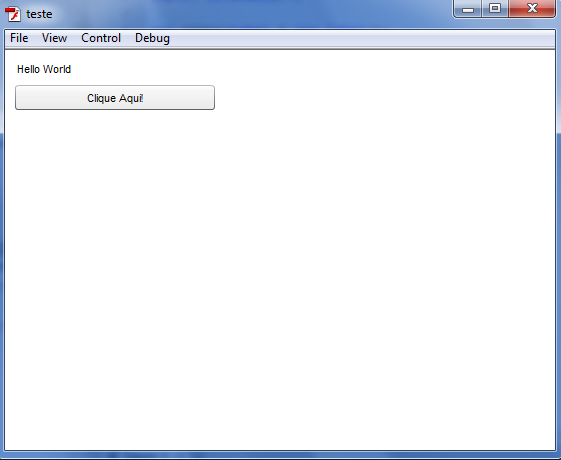
| Interface |
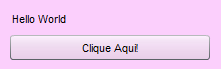
| Arquivo: teste.fla | |
| Objetos | PROPERTIES >> <Instance Name> |
| Button | botao |
| Label | texto |
| Actionscript - F9 | |
import fl.controls.*;
import fl.events.*;

var texto:Label = new Label();
texto.text = "";
texto.setSize(200, 25);
texto.move(10, 10);
addChild(texto);

var botao:Button = new Button();
botao.label ="Clique Aqui!";
botao.setSize(200, 25);
botao.move(10, 10+25);
botao.addEventListener(MouseEvent.CLICK, onClick);
addChild(botao);

function onClick(evt:MouseEvent):void {
    if(texto.text != "Hello World"){
		texto.text = "Hello World";
	} else {
		texto.text = "";
	}
} |
|
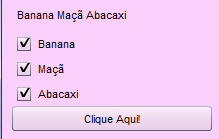
| Arquivo: teste.fla | |
| Objetos | PROPERTIES >> <Instance Name> |
| CheckBox | botao_1 |
| CheckBox | botao_2 |
| CheckBox | botao_3 |
| Label | texto |
| Button | botao |
| Actionscript - F9 | |
import fl.controls.*;
import fl.events.*;

var texto:Label = new Label();
texto.text = "";
texto.setSize(200, 25);
texto.move(10, 10);
addChild(texto);

var botao_1:CheckBox = new CheckBox();
botao_1.label ="Banana";
botao_1.setSize(200, 25);
botao_1.move(10, 10+25);
botao_1.addEventListener(MouseEvent.CLICK, onClick_1);
addChild(botao_1);

function onClick_1(evt:MouseEvent):void {
    if(texto.text == ""){
		texto.text = "Hello World";
	} else {
		texto.text = "";
	}
}

var botao_2:CheckBox = new CheckBox();
botao_2.label ="Maçã";
botao_2.setSize(200, 25);
botao_2.move(10, 10+25+25);
botao_2.addEventListener(MouseEvent.CLICK, onClick_2);
addChild(botao_2);

function onClick_2(evt:MouseEvent):void {
    if(texto.text == ""){
		texto.text = "Hello World";
	} else {
		texto.text = "";
	}
}

var botao_3:CheckBox = new CheckBox();
botao_3.label ="Abacaxi";
botao_3.setSize(200, 25);
botao_3.move(10, 10+25+25+25);
botao_3.addEventListener(MouseEvent.CLICK, onClick_3);
addChild(botao_3);

function onClick_3(evt:MouseEvent):void {
    if(texto.text == ""){
		texto.text = "Hello World";
	} else {
		texto.text = "";
	}
}

var botao:Button = new Button();
botao.label ="Clique Aqui!";
botao.setSize(200, 25);
botao.move(10, 10+25+25+25+25);
botao.addEventListener(MouseEvent.CLICK, onClick);
addChild(botao);

function onClick(evt:MouseEvent):void {
	texto.text = "";
	if(botao_1.selected == true){
		texto.text += " Banana";
	}
    if(botao_2.selected == true){
		texto.text += " Maçã";
	}
    if(botao_3.selected == true){
		texto.text += " Abacaxi";
	}

} |
|
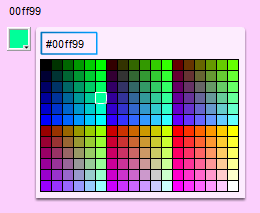
| Arquivo: teste.fla | |
| Objetos | PROPERTIES >> <Instance Name> |
| ColorPicker | cores |
| Label | texto |
| Actionscript - F9 | |
import fl.controls.*;
import fl.events.*;

var texto:Label = new Label();
texto.text = "";
texto.setSize(200, 25);
texto.move(10, 10);
addChild(texto);

var cores:ColorPicker = new ColorPicker();
cores.selectedColor = 0xffffff;
cores.move(10, 10+25);
cores.addEventListener(ColorPickerEvent.CHANGE, cor);
addChild(cores);

function cor(evt:ColorPickerEvent):void {
	texto.text = cores.hexValue;
} |
|
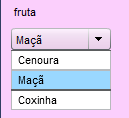
| Arquivo: teste.fla | |
| Objetos | PROPERTIES >> <Instance Name> |
| ComboBox | alimentos |
| Label | texto |
| Actionscript - F9 | |
import fl.data.DataProvider;
import fl.controls.*;
import fl.events.*

var texto:Label = new Label();
texto.text = "";
texto.setSize(200, 25);
texto.move(10, 10);
addChild(texto)

var alimentos:ComboBox = new ComboBox();
var comida:Array = new Array(
	{label:"Cenoura", data:"verdura"},
	{label:"Maçã", data:"fruta"},
	{label:"Coxinha", data:"salgado"}
);

alimentos.dataProvider = new DataProvider(comida);

alimentos.move(10, 10+25);
addChild(alimentos);

alimentos.addEventListener(Event.CHANGE, changeAlimentos);

function changeAlimentos(evt:Event):void {
	texto.text = alimentos.selectedItem.data;
} |
|
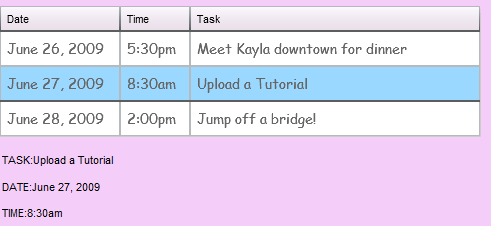
| Arquivo: teste.fla | |
| Objetos | PROPERTIES >> <Instance Name> |
| DataGrid | datagrid |
| Label | task_txt |
| Label | date_txt |
| Label | time_txt |
| Actionscript - F9 | |
import fl.controls.*;
import fl.events.*;

var item1:Object = { Date:"June 26, 2009", Time:"5:30pm", Task:"Meet Kayla downtown for dinner" };
var item2:Object = { Date:"June 27, 2009", Time:"8:30am", Task:"Upload a Tutorial" };
var item3:Object = { Date:"June 28, 2009", Time:"2:00pm", Task:"Jump off a bridge!" };

var myTextFormat:TextFormat = new TextFormat();
myTextFormat.font = "Comic Sans MS";
myTextFormat.color = 0x666666;
myTextFormat.size = 14;

var datagrid:DataGrid = new DataGrid;
datagrid.move(10, 10);
datagrid.width = 480;
datagrid.height = 130;
datagrid.rowHeight = 35;
datagrid.columns = ["Date", "Time", "Task"];
datagrid.columns[0].width = 120;
datagrid.columns[1].width = 70;
datagrid.resizableColumns = true;

datagrid.setRendererStyle("textFormat", myTextFormat);

datagrid.addItem(item1);
datagrid.addItem(item2);
datagrid.addItem(item3);

addChild(datagrid);

datagrid.addEventListener(Event.CHANGE, gridItemClick);

var task_txt:Label = new Label();
task_txt.text = "";
task_txt.setSize(200, 25);
task_txt.move(10, 130+25);
addChild(task_txt);

var date_txt:Label = new Label();
date_txt.text = "";
date_txt.setSize(200, 25);
date_txt.move(10, 130+26*2);
addChild(date_txt);

var time_txt:Label = new Label();
time_txt.text = "";
time_txt.setSize(200, 25);
time_txt.move(10, 130+26*3);
addChild(time_txt);

function gridItemClick (evt:Event):void {

   task_txt.text = "TASK:" + datagrid.selectedItem.Task;
   date_txt.text = "DATE:" + datagrid.selectedItem.Date;
   time_txt.text = "TIME:" + datagrid.selectedItem.Time;
} |
|
| Arquivo: teste.fla | |
| Objetos | PROPERTIES >> <Instance Name> |
| Button | botao |
| Label | texto |
| Actionscript - F9 | |
import fl.controls.*;
import fl.events.*;

var texto:Label = new Label();
texto.text = "";
texto.setSize(200, 25);
texto.move(10, 10);
addChild(texto);

var botao:Button = new Button();
botao.label ="Clique Aqui!";
botao.setSize(200, 25);
botao.move(10, 10+25);
botao.addEventListener(MouseEvent.CLICK, onClick);
addChild(botao);

function onClick(evt:MouseEvent):void {
    if(texto.text != "Hello World"){
		texto.text = "Hello World";
	} else {
		texto.text = "";
	}
} |
|
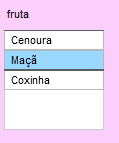
| Arquivo: teste.fla | |
| Objetos | PROPERTIES >> <Instance Name> |
| List | alimentos |
| Label | texto |
| Actionscript - F9 | |
import fl.controls.*;
import fl.events.*;

var texto:Label = new Label();
texto.text = "";
texto.setSize(200, 25);
texto.move(10, 10);
addChild(texto);

var botao:Button = new Button();
botao.label ="Clique Aqui!";
botao.setSize(200, 25);
botao.move(10, 10+25);
botao.addEventListener(MouseEvent.CLICK, onClick);
addChild(botao);

function onClick(evt:MouseEvent):void {
    if(texto.text != "Hello World"){
		texto.text = "Hello World";
	} else {
		texto.text = "";
	}
} |
|
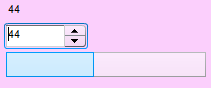
| Arquivo: teste.fla | |
| Objetos | PROPERTIES >> <Instance Name> |
| NumericStepper | n |
| ProgressBar | Carregando |
| Label | texto |
| Actionscript - F9 | |
import fl.controls.*;
import fl.events.*

var texto:Label = new Label();
texto.text = "";
texto.setSize(200, 25);
texto.move(10, 10);
addChild(texto)

var n:NumericStepper = new NumericStepper();
n.minimum = 0;
n.maximum = 100;
n.value = 100;
n.move(10, 10+25);
n.addEventListener(Event.CHANGE, n_change);
addChild(n);

var carregando:ProgressBar = new ProgressBar();
carregando.mode = ProgressBarMode.MANUAL;
carregando.setSize(200, 25);
carregando.move(10, 10+26*2);
addChild(carregando);

function n_change(evt:Event):void {
	var valor = n.value;
	texto.text = valor;
	carregando.setProgress(valor, 100);
} |
|
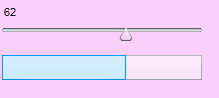
| Arquivo: teste.fla | |
| Objetos | PROPERTIES >> <Instance Name> |
| ProgressBar | carregando |
| Slider | slider |
| Label | texto |
| Actionscript - F9 | |
import fl.controls.*;
import fl.events.*

var texto:Label = new Label();
texto.text = "";
texto.setSize(200, 25);
texto.move(10, 10);
addChild(texto)

var slider:Slider = new Slider();

slider.minimum = 0;
slider.maximum = 100;
slider.liveDragging = true;

slider.setSize(200, 25);
slider.move(10, 10+25);
slider.addEventListener(SliderEvent.CHANGE, slider_change);
addChild(slider);

var carregando:ProgressBar = new ProgressBar();
carregando.mode = ProgressBarMode.MANUAL;
carregando.setSize(200, 25);
carregando.move(10, 10+26*2);
addChild(carregando);

function slider_change(evt:SliderEvent):void {
	var valor = slider.value;
	texto.text = valor;
	carregando.setProgress(valor, 100);
} |
|
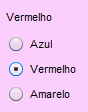
| Arquivo: teste.fla | |
| Objetos | PROPERTIES >> <Instance Name> |
| Label | texto |
| RadioButton | azul |
| RadioButton | vermelho |
| RadioButton | amarelo |
| Actionscript - F9 | |
import fl.controls.*;
import fl.events.*

var texto:Label = new Label();
texto.text = "";
texto.setSize(200, 25);
texto.move(10, 10);
addChild(texto)

var grupo:RadioButtonGroup = new RadioButtonGroup("Cores");

var azul:RadioButton = new RadioButton();
var vermelho:RadioButton = new RadioButton();
var amarelo:RadioButton = new RadioButton();

azul.group = grupo;
vermelho.group = grupo;
amarelo.group = grupo;

azul.label = "Azul";
vermelho.label = "Vermelho";
amarelo.label = "Amarelo";

azul.move(10, 10+25);
vermelho.move(10, 10+25*2);
amarelo.move(10, 10+25*3);

addChild(azul);
addChild(vermelho);
addChild(amarelo);

azul.addEventListener(MouseEvent.CLICK, rb_click);
vermelho.addEventListener(MouseEvent.CLICK, rb_click);
amarelo.addEventListener(MouseEvent.CLICK, rb_click);

function rb_click(evt:MouseEvent):void {
	switch (grupo.selection) {
		case azul :
           texto.text = "Azul";
		   break;
		case vermelho :
           texto.text = "Vermelho";
		   break;
		case amarelo :
           texto.text = "Amarelo";
		   break;
	}
} |
|
- Abra o Flash
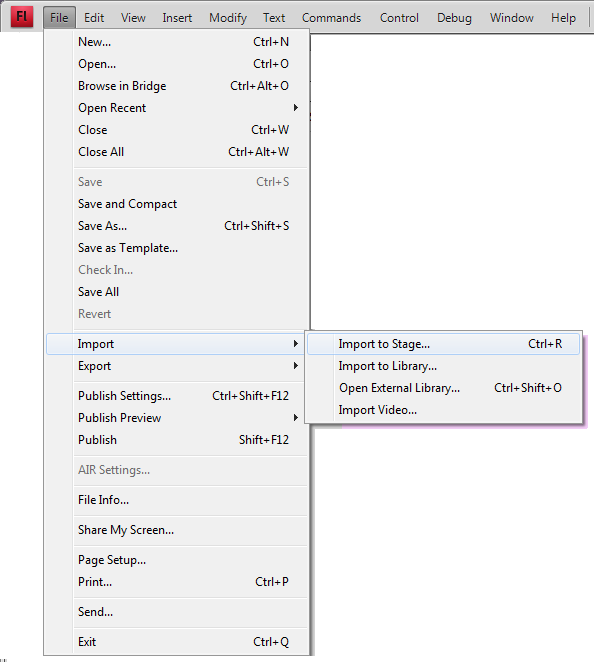
- Insira esta Imagem em: Import >> Import to Stage
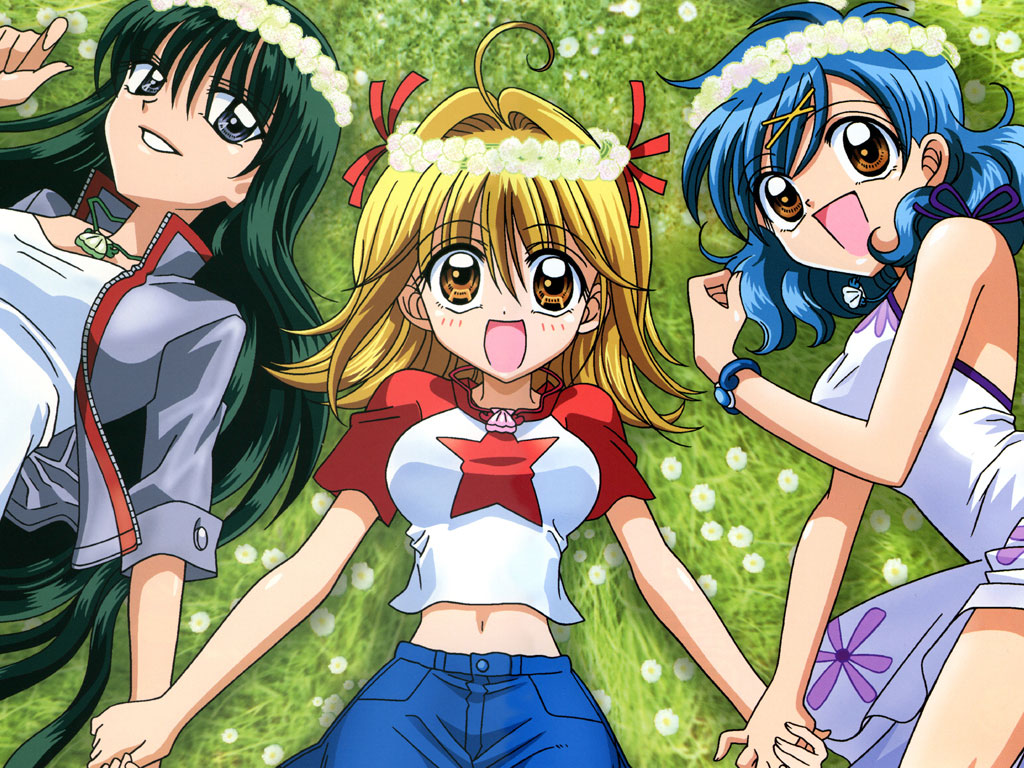
Depois de inserido, insira o texto abaixo:
Lorem ipsum dolor sit amet, consectetur adipiscing elit. Nam luctus felis at leo ornare et tincidunt tellus pretium? Donec euismod; ligula ac tristique imperdiet, neque lectus tempus purus, sit amet varius urna turpis id dui. Nunc non sem ipsum. Mauris adipiscing tempor vestibulum. Maecenas luctus turpis sed ligula cursus mattis id at metus. Curabitur pharetra enim ipsum, sit amet bibendum lorem. Vivamus hendrerit, metus ut feugiat aliquet, dolor neque faucibus magna, vitae vulputate justo nunc sit amet nulla. Quisque iaculis iaculis metus, in euismod lacus consectetur eget. Aliquam interdum dapibus orci malesuada volutpat. Sed eget urna pulvinar tortor fermentum suscipit a eget nisl. Praesent nec nisi eu mauris consectetur facilisis ac sit amet ligula. Suspendisse sapien massa, consequat sed porttitor eget, tempor a lacus.
Mauris eu libero quis nunc ullamcorper pharetra vitae quis libero. Nullam ac vehicula lorem. Aenean mattis orci et dolor pretium quis adipiscing tellus tristique! Duis vitae nulla libero, et tincidunt augue. Donec porta eros vel neque rutrum in tempus sem aliquam. Vestibulum ante urna, viverra sit amet aliquam sed, dignissim in massa. Duis eu nulla enim? Suspendisse vitae tortor lacus; non elementum neque. In nisi elit, rutrum ut condimentum at, facilisis in tortor.
Aliquam nisi ipsum, semper quis malesuada eget, sagittis a est. Quisque vitae arcu lectus, eget tempor quam. In lorem urna, sagittis id placerat eu, eleifend sit amet metus. Donec nulla augue, facilisis eget venenatis sed, aliquet ac orci. Vestibulum a iaculis ligula. Sed non velit neque; vel consectetur magna. Etiam faucibus; massa eu congue bibendum, dolor dolor posuere leo, sed bibendum erat nisi ut leo. Duis dignissim dolor vitae leo fermentum quis auctor lorem pretium? Etiam adipiscing diam vel metus lacinia dignissim ornare odio sagittis! Sed lobortis, ipsum rhoncus malesuada consectetur, urna dolor fringilla elit, eget vulputate augue sem sit amet arcu. Integer in nulla ante!
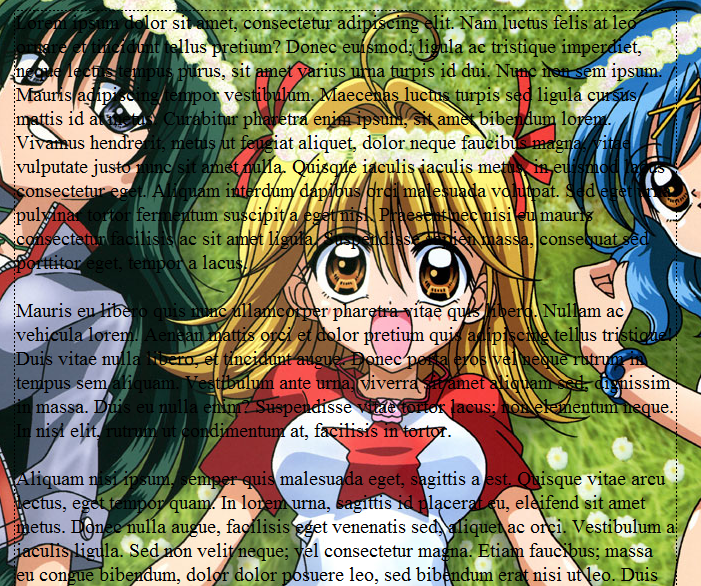
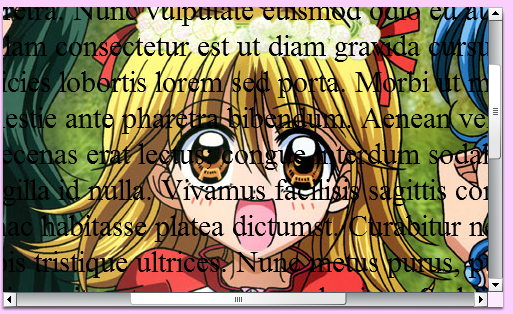
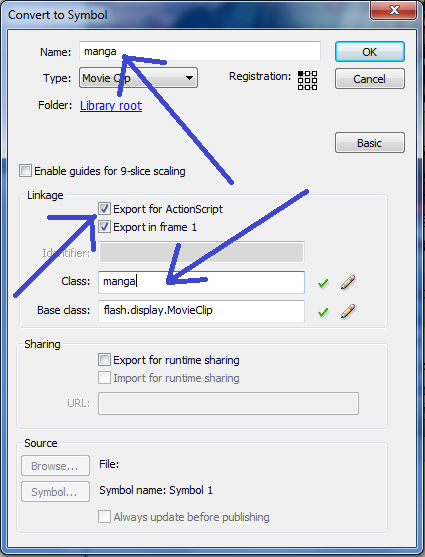
Selecione os dois (a imagem e o texto) e converta em simbolo e insira os dados abaixo:
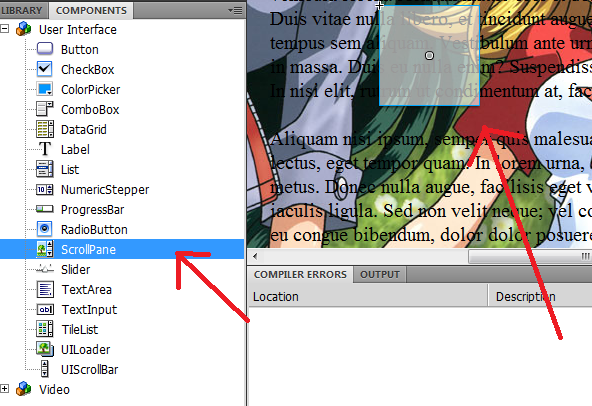
Insira o scrollPane
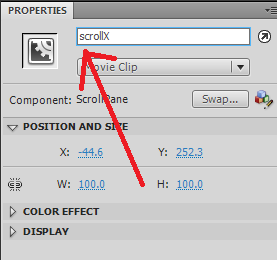
Em Propriedades escreva scrollX
Precione F9 e insira este código:
scrollX.source = manga; |
Clique e arraste a imagem do palco:
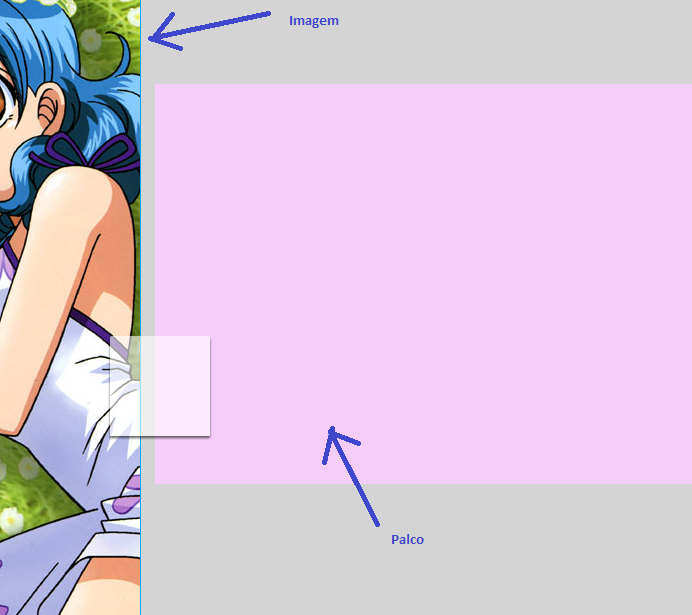
Vai ficar como o exemplo abaixo:
| Arquivo: teste.fla | |
| Objetos | PROPERTIES >> <Instance Name> |
| ProgressBar | carregando |
| Slider | slider |
| Label | texto |
| Actionscript - F9 | |
import fl.controls.*;
import fl.events.*

var texto:Label = new Label();
texto.text = "";
texto.setSize(200, 25);
texto.move(10, 10);
addChild(texto)

var slider:Slider = new Slider();

slider.minimum = 0;
slider.maximum = 100;
slider.liveDragging = true;

slider.setSize(200, 25);
slider.move(10, 10+25);
slider.addEventListener(SliderEvent.CHANGE, slider_change);
addChild(slider);

var carregando:ProgressBar = new ProgressBar();
carregando.mode = ProgressBarMode.MANUAL;
carregando.setSize(200, 25);
carregando.move(10, 10+26*2);
addChild(carregando);

function slider_change(evt:SliderEvent):void {
	var valor = slider.value;
	texto.text = valor;
	carregando.setProgress(valor, 100);
} |
|
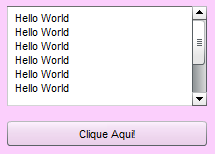
| Arquivo: teste.fla | |
| Objetos | PROPERTIES >> <Instance Name> |
| TextArea | texto |
| Button | botao |
| Actionscript - F9 | |
import fl.controls.*;
import fl.events.*;

var texto:TextArea = new TextArea();
texto.text = "";
texto.setSize(200, 100);
texto.move(10, 10);
addChild(texto);

var botao:Button = new Button();
botao.label = "Clique Aqui!";
botao.setSize(200, 25);
botao.move(10, 100+25);
botao.addEventListener(MouseEvent.CLICK, onClick);
addChild(botao);

function onClick(evt:MouseEvent):void {
		texto.text += " Hello World\n";
} |
|
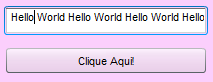
| Arquivo: teste.fla | |
| Objetos | PROPERTIES >> <Instance Name> |
| TextInput | texto |
| Button | botao |
| Actionscript - F9 | |
import fl.controls.*;
import fl.events.*;

var texto:TextInput = new TextInput();
texto.text = "";
texto.setSize(200, 25);
texto.move(10, 10);
addChild(texto);

var botao:Button = new Button();
botao.label = "Clique Aqui!";
botao.setSize(200, 25);
botao.move(10, 25+25);
botao.addEventListener(MouseEvent.CLICK, onClick);
addChild(botao);

function onClick(evt:MouseEvent):void {
		texto.text += " Hello World";
} |
|
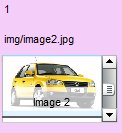
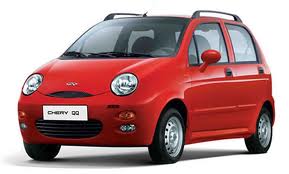
img/image1.jpg
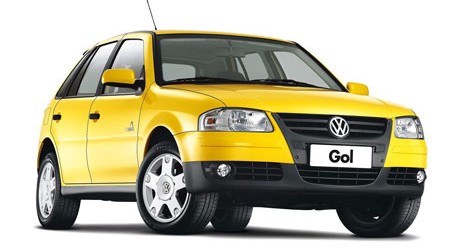
img/image2.jpg
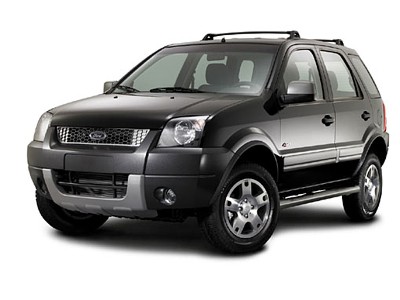
img/image3.jpg
| Arquivo: teste.fla | |
| Objetos | PROPERTIES >> <Instance Name> |
| Label | indice |
| Label | texto |
| TileList | myTileList |
| Actionscript - F9 | |
import fl.controls.*;
import fl.data.DataProvider;
import fl.events.*;

var baseURL:String = "img/";

var myTileList:TileList = new TileList();
myTileList.addItem({label:"Image 1", source:baseURL + "image1.jpg"});
myTileList.addItem({label:"Image 2", source:baseURL + "image2.jpg"});
myTileList.addItem({label:"Image 3", source:baseURL + "image3.jpg"});
myTileList.direction = ScrollBarDirection.VERTICAL;
myTileList.columnWidth = 100;
myTileList.rowHeight= 67;
myTileList.columnCount = 1;
myTileList.rowCount = 1;
myTileList.move(10, 65);
addChild(myTileList);

var indice:TextInput = new TextInput();
indice.text = "";
indice.setSize(200, 25);
indice.move(10, 10);
addChild(indice);

var texto:TextInput = new TextInput();
texto.text = "";
texto.setSize(200, 25);
texto.move(10, 40);
addChild(texto);

myTileList.addEventListener(ListEvent.ITEM_CLICK,onClick);

function onClick(evt:ListEvent):void{

var valor = evt.index;

indice.text = valor;

texto.text = myTileList.getItemAt(valor).source;
} |
|
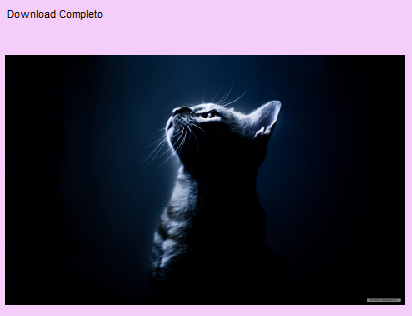
Para ver a imagem carregando pegue uma URL de uma imagem super grande (ex: 1920x1200).
| Arquivo: teste.fla | |
| Objetos | PROPERTIES >> <Instance Name> |
| Label | texto |
| UILoader | carregando |
| Actionscript - F9 | |
import fl.controls.*;
import fl.containers.*;
import fl.events.*;

// Para o exemplo funcionar pegue uma imagem super grande
// Exemplo:
// var minhaImagem:String = "http://www.minhapagina.com/paisagem/wallpaper_tamanho_1920x1200.jpg";

var minhaImagem:String = "http://www.dream-wallpaper.com/free-wallpaper/animal-wallpaper/cute-animals-1-wallpaper/1920x1200/free-wallpaper-22.jpg";

var foto:URLRequest = new URLRequest(minhaImagem);

var texto:Label = new Label();
texto.text = "";
texto.setSize(200, 25);
texto.move(10, 10);
addChild(texto)

var carregando:UILoader = new UILoader();
carregando.scaleContent = true;

carregando.addEventListener(Event.COMPLETE, completo);
carregando.addEventListener(ProgressEvent.PROGRESS, progresso);

carregando.load(foto);

carregando.setSize(400, 300);
carregando.move(10, 10+25);

addChild(carregando);

function progresso(evt:Event):void{
	texto.text = "Carregando: "+Math.round(evt.target.percentLoaded)+"%";
}

function completo(evt:Event):void{
	texto.text = "Download Completo";
} |
|
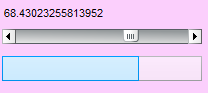
| Arquivo: teste.fla | |
| Objetos | PROPERTIES >> <Instance Name> |
| Label | texto |
| UIScrollBar | barra |
| ProgressBar | carregando |
| Actionscript - F9 | |
import fl.controls.*;
import fl.events.*

var texto:Label = new Label();
texto.text = "";
texto.setSize(200, 25);
texto.move(10, 10);
addChild(texto)

var barra:UIScrollBar = new UIScrollBar();
barra.direction = "horizontal";
barra.minScrollPosition = 0;
barra.maxScrollPosition = 100;

barra.setSize(200, 25);
barra.move(10, 10+25);
barra.addEventListener(ScrollEvent.SCROLL, barra_change);
addChild(barra);

var carregando:ProgressBar = new ProgressBar();
carregando.mode = ProgressBarMode.MANUAL;
carregando.setSize(200, 25);
carregando.move(10, 10+26*2);
addChild(carregando);

function barra_change(evt:ScrollEvent):void {
	var valor = barra.scrollPosition;
	texto.text = valor;
	carregando.setProgress(valor, 100);
} |
|